If you export goods or services from India, you have two ways to handle GST on the export. You can pay IGST on the export and claim it back as a refund later. Or you can file a Letter of Undertaking (LUT) once a year and export without paying IGST at all.
For most small exporters the LUT is the better choice: no money is stuck in a refund queue. This guide explains what an LUT is, who can file it, how to file Form GST RFD-11 on the GST portal, and what you need to do after filing.
What is an LUT in GST?
Exports are “zero-rated supplies” under Section 16 of the IGST Act. That means the export itself is free of GST, but you can still use the input tax credit on what you bought to make it.
An LUT is a promise you give to the GST department: that you will complete the export within the time allowed and follow the rules. In return, you can issue export invoices without charging IGST. The form is GST RFD-11, and you file it online on the GST portal.
LUT or pay IGST and claim a refund?
- Export under LUT: no IGST on the export invoice. If you have unused input tax credit, you can claim it as a refund.
- Export with payment of IGST: you pay IGST on the export, then claim that IGST back as a refund. Until it arrives, that money is out of your working capital.
If you choose to pay IGST, our guide to claiming and tracking your IGST refund covers that route.
Who can file an LUT?
Any GST-registered person who exports goods or services can file an LUT. The only exclusion is someone who has been prosecuted for tax evasion of more than ₹2.5 crore under GST or earlier tax laws. They must give a bond with a bank guarantee instead.
There is no minimum export turnover, and you don’t need to have exported before.
What you need before you start
- GST registration, with your login for the GST portal.
- IEC (Importer Exporter Code). If you don’t have one yet, follow our step-by-step IEC guide.
- A way to sign: the authorised signatory’s DSC (digital signature certificate) or EVC (an OTP sent to the signatory’s registered mobile and email).
- Two witnesses: their names, addresses and occupations. The form asks for these.
- Last year’s LUT, if you filed one. Uploading it is optional.
How to file an LUT on the GST portal (Form RFD-11)
- Log in at gst.gov.in.
- Go to Services → User Services → Furnish Letter of Undertaking (LUT).
- Choose the financial year the LUT is for.
- If you filed an LUT for an earlier year, you can upload it. This step is optional.
- Tick the three declarations. They say you will export within the time allowed, follow the GST law, and pay the tax with interest if you don’t.
- Enter the details of your two witnesses.
- Enter the place, check the name of the authorised signatory, and click Save. Use Preview to check everything before you sign.
- Sign with DSC or EVC. The portal generates an ARN (acknowledgement reference number).
- Download the acknowledgement PDF and keep it with your export records.
The LUT is treated as accepted once it is filed. You don’t need to wait for an officer’s approval before your next export.
When to file, and when to renew
- Before your first export under LUT. File it before you raise an export invoice without IGST.
- Once every financial year. An LUT covers one financial year (April to March). File a fresh one for each new year, ideally before 1 April, so your first April shipment isn’t held up.
- Check the date on the acknowledgement. If you aren’t sure whether this year’s LUT is filed, you can view filed LUTs on the same portal page.
What to write on your export invoice
When you export under LUT, your tax invoice must say so. The usual wording is:
“Supply meant for export under Letter of Undertaking without payment of integrated tax.”
Many exporters also add their LUT’s ARN and date to the invoice, so that customs and the GST department can match it easily. For the rest of the details a GST export invoice needs, see our guide to GST on export invoices.
Conditions after you file
- Goods: they must be exported within three months of the invoice date, unless the time is extended.
- Services: you must receive payment within one year of the invoice date, in convertible foreign exchange (or in rupees where RBI allows it).
- If you miss the deadline: you must pay the IGST due on that invoice, with interest.
So keep track of each invoice’s shipping date and payment date. It’s the same paperwork your bank and customs will ask for anyway.
Common mistakes
- Forgetting to renew in April. An export invoice without IGST and with no valid LUT for that year can lead to a tax demand.
- Leaving the declaration off the invoice. The invoice should show that the supply is under LUT.
- Charging IGST by mistake after filing an LUT. Decide your route for each financial year and keep your invoice template consistent.
- Losing the acknowledgement. Keep the ARN and PDF where your team can find them.
Where the LUT fits in your first export
For a new exporter, the usual order is: GST registration → IEC → DGFT portal registration → RCMC from your export promotion council → LUT, before your first export invoice. Then come the shipment documents: proforma invoice, commercial invoice, packing list and bill of lading.
Before you raise that first invoice, you can check a buyer’s or supplier’s GST number with our free GSTIN checker. It needs no login.
How ExDocs helps with the paperwork after the LUT
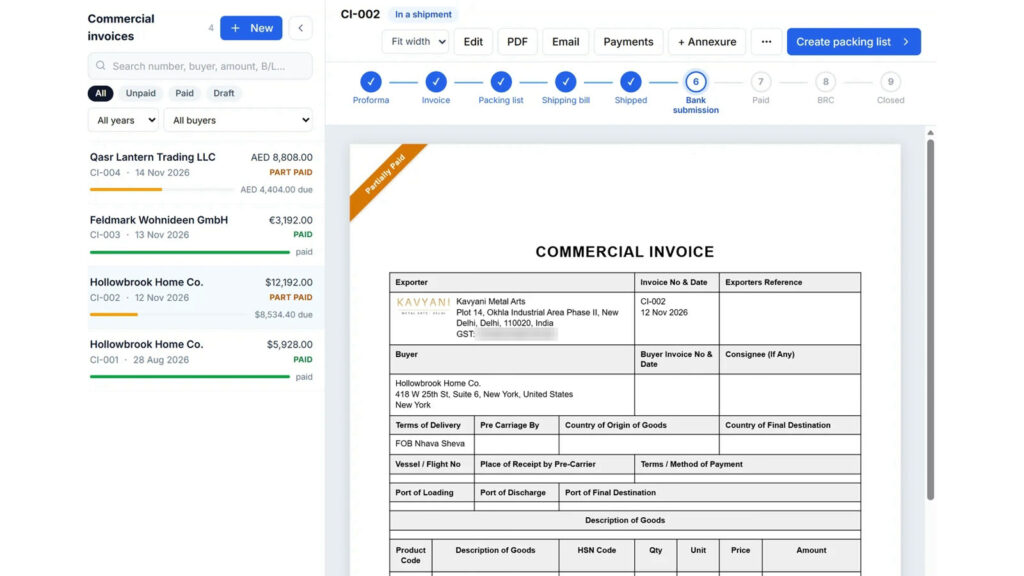
ExDocs is cloud software for Indian exporters. Once your LUT is filed, ExDocs helps with the documents that follow. The AI assistant drafts the proforma, commercial invoice and packing list from one record, and you check every draft before it goes out. The same system also covers imports, GST sales invoices, production, inventory, trade fairs and reports.
Try ExDocs free for 14 days, with every feature and no card needed.